
On this page
- 01 · How to connect Claude to your Meta ads
- 02 · Four routes compared
- 03 · How we use Claude on our clients' Meta accounts
- 04 · Can Claude run Meta ads?
- 05 · Example prompts for real Meta jobs
- 06 · Check the answer before you act on it
- 07 · When Ads Manager is enough
- 08 · Questions we get about Claude and Meta ads
- 09 · Sources
How to connect Claude to your Meta ads
You can connect Claude to your own Meta ad account in three ways. Meta's official ads MCP server (https://mcp.facebook.com/ads) is free, in open beta, and can read and change your account. A hosted third-party connector from Claude's directory does the same job through the vendor's servers, usually alongside Google Ads and GA4. A reporting tool's connector, which is how we work, gives Claude your Meta data read-only: it can analyse everything and change nothing. For a one-off question, export the table from Ads Manager and attach the file to a chat.
Our advice for most owners: start read-only. Claude is good at reading a Meta account and finding what changed. Publishing, budgets and bids are where a confident wrong answer costs money, so that is where we keep a person in charge. This page covers your own ad account. To research other brands' ads, read our guide to connecting the Meta Ad Library to Claude, and for Google see Claude and Google Ads.
Four routes compared
| Route | What you need | Can it change your ads? | Cost |
|---|---|---|---|
| Meta ads MCP server | A Meta ad account you can manage, your Facebook login, and an account included in Meta's phased rollout | Yes. It creates campaigns, ad sets and ads as paused drafts, edits live ones and can switch them on | No extra Meta charge; your Claude plan applies |
| Hosted third-party connector (Windsor.ai is one in Claude's directory) | An account with the vendor, with Meta connected through it | Depends on the vendor. Windsor.ai's can create, pause and set budgets once you confirm | The vendor's pricing. Windsor.ai has a free plan for one data source |
| Reporting tool connector (we use Whatagraph) | A subscription with your Meta account connected inside the tool | No. Its tools act on reports, not on the ad account | Agency pricing: Whatagraph starts at US$812 a month, billed annually |
| CSV export | Ads Manager: Reports, then Export table data, then attach the file in Claude | No | Free |
Meta's ads MCP server
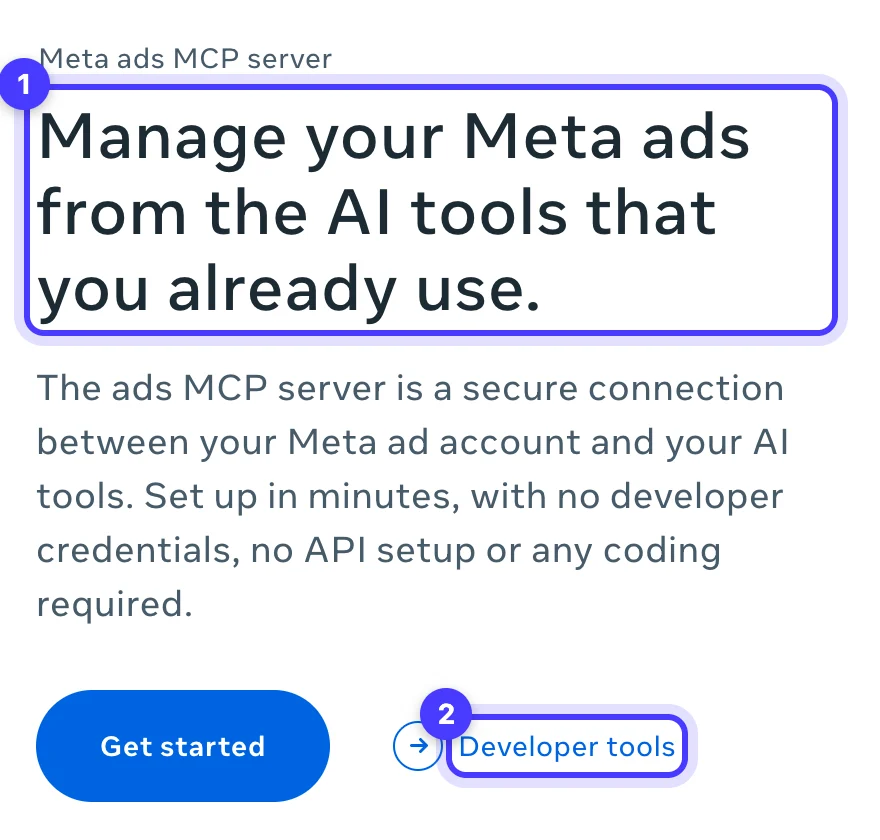
Meta builds and maintains this one, and it works with Claude, ChatGPT and Perplexity. In Claude, open Customize > Connectors, click + Add, choose Add custom connector, paste the URL and sign in with the Facebook profile that manages the ad account. Custom connectors work on every Claude plan, and Free allows one. Not every ad account has the server yet, because Meta is rolling it out in phases.
Its reporting tool pulls spend, impressions, CTR, CPC, CPM and conversions for campaigns, ad sets and ads, with breakdowns and date ranges, and other tools read trends, anomalies and industry benchmarks. It also covers catalogues, signal health, A/B tests and the account's activity log. The write tools are the part to understand before you connect. New campaigns, ad sets and ads arrive as paused drafts, and Claude asks for confirmation before activating them, which in Meta's words "starts spending budget". A separate tool edits fields on any existing campaign, ad set or ad. Meta also documents controls that deny agent actions per ad account, from creating campaigns to raising a budget past a percentage, amount or ceiling you set, and shows them in Meta Business Suite settings. Look for them before you connect.
Hosted third-party connectors
Several vendors run their own Meta connector for Claude. Windsor.ai, for example, is listed in Claude's connector directory, covers Meta alongside Google Ads, GA4 and Shopify, and has write actions: creating campaigns, pausing and enabling, and setting budgets, with Claude showing each change for confirmation first. Your Meta access now runs through a third company, so read the permissions screen before you approve it. Anthropic's own advice is to connect only servers from organisations you trust.
A reporting tool's connector
This is our route. Every client report we build runs on Meta Ads, Google Ads and GA4 in Whatagraph, and Claude reads those accounts through Whatagraph's connector. It can build and change Whatagraph reports, and asks before it creates or changes anything. None of its tools touch a campaign, and for client accounts that limit suits us. Our Whatagraph MCP guide walks through the setup.

Run Better Ads. The free guide + vault.
137 pages on ecommerce ads, with 46 real ads and 17 landing pages taken apart.
How we use Claude on our clients' Meta accounts
We run read-only audits of every client's ad account through the Whatagraph connector, with several Claude agents working in parallel. We also build and edit client reports through it, and a person checks each tile against the raw platform data before anything is shared. Running it at that scale has taught us four things:
- Run three to five agents at a time. Bursts of more than about eight calls get rate-limited, with back-offs of 25 to 60 seconds.
- Page large reads. Responses cap at about 50 KB, so an ad-level read of a big account comes back in parts. Tell Claude to fetch every page rather than summarise the first one.
- Allow time for ad-level data. Ad-level reads can take over two minutes, and Meta sometimes answers "data not ready". A 90-day creative report can fail where 60 days works.
- Never add channel revenue together. Meta's purchases include view-through conversions and overlap with GA4's, so a total built from both counts some sales twice. We put GA4 revenue against total ad spend in a separate MER row, and our MER vs ROAS guide explains why.
Can Claude run Meta ads?
Yes. With Meta's server or a write-capable connector, Claude can build a campaign, edit live ad sets, change budgets and switch ads on. We never let it do any of that unattended on a client account, and the reason is how Meta delivery works.
Meta's delivery system goes back into learning after a significant edit. Changes to targeting, creative or the optimisation event count, and so does pausing. Budget and bid changes count depending on their size. An ad set needs about 50 optimisation events in the week after its last significant edit to leave learning. An agent that makes big budget moves every morning, or swaps creative midweek, keeps sending ad sets back to the start, and activation starts spending the moment you confirm it. Our guide to Learning limited on Meta lists which edits reset learning.
| Job | Claude on our client accounts | Why |
|---|---|---|
| Pull performance and find what moved | Yes | Read-only, and quicker than building the view by hand |
| Audit settings and results | Yes, several agents in parallel | Nothing in the account changes |
| Build and edit report layouts | Yes, then a person checks every tile | Numbers reach the client only after the check |
| Publish or activate a campaign, ad set or ad | Never unattended | Spend starts at once |
| Change budgets, bids or cost goals | Never unattended | Moves spend and can restart learning |
| Edit targeting, creative or the optimisation event | Never unattended | Always a significant edit |
If you connect a write-capable server, set it up so a mistake needs a second step. In Claude, leave write tools on approval and never click Allow always for them: Anthropic says to keep that for tools you trust to run unsupervised. Switch write tools off in the Search and tools menu when you only need answers, and always before using Research, where Claude can call connector tools without asking. If rules already change your budgets, our Meta automated rules guide covers capping the step size.
Example prompts for real Meta jobs
These are invented examples for a homewares brand we will call Example Store, and they work with any read route above. Each one names the dates, the threshold and the shape of the answer, because a vague prompt gets a confident summary of the wrong slice.
Creative fatigue check
"For Example Store's Meta account, list every active ad that spent at least $300 in the last 28 days. Compare the last 7 days with the 21 days before on frequency, link click-through rate, cost per purchase and spend. Flag ads where frequency rose and link CTR fell by 20% or more. Return a table sorted by spend, and state the date ranges and attribution setting you used."
Good output names both date ranges and flags a handful of ads. If nearly every ad is flagged, look at audience size and budget before blaming the creative. Our guide to Meta ad frequency covers what a rising number tells you.
Cost per purchase by placement
"Break down Example Store's prospecting campaigns for the last 30 days by placement: spend, purchases, cost per purchase, purchase value and ROAS. Group placements under 5% of spend into one row. Mark any placement with fewer than 10 purchases, because its cost per purchase is too thin to act on."
Good output is one table with the thin rows marked. A placement with expensive purchases usually needs creative made for it, such as a 9:16 video for Reels, before it needs excluding.
Biggest spend moves, week on week
"Compare spend by campaign for last week, Monday to Sunday, with the week before. List the five campaigns whose spend moved most in dollars, up or down, with spend, purchases and cost per purchase for both weeks. If the activity log shows a budget, bid or status change on those campaigns in the last 14 days, list it with the date."
Good output separates moves someone made from moves the auction made. The activity log part needs Meta's own server, which has a tool for it. To compare planned and actual spend across the month, our ad budget pacing planner does the arithmetic.
Check the answer before you act on it
- Attribution. Ask which attribution setting the numbers use. 7-day click and 1-day view counts more purchases than 7-day click alone, and our Meta attribution setting guide shows the gap in a worked example.
- GST. Shopify's pixel usually sends prices including GST. Divide purchase value by 1.1 before you compare ROAS with your break-even figure.
- Dates. Write "last full week, Monday to Sunday", not "last week". Whatagraph's monthly preset runs on UTC, so a completed day lands around 11am in Melbourne.
- One spot check. Open Ads Manager and compare one campaign's spend for the same dates. If it matches, the rest of the pull is usually sound.
- Totals. Ask Claude to recalculate totals from the rows. A long table is where an addition slips.
See the decisions behind real ads.
46 ad breakdowns and 17 landing pages, each with the next test it suggests.
When Ads Manager is enough
If you run one Meta account and check it weekly, Ads Manager's own reports and a CSV export answer most questions, and Meta's server costs nothing extra once your account has it. A reporting tool earns its price when you report on many accounts, or need Meta, Google and GA4 side by side every week. That is an agency's problem, and Whatagraph is priced for agencies. Our free Meta ads performance doctor diagnoses a weak campaign with no connector at all. If you would rather hand the audits and the account to us, tell us about your brand.
Questions we get about Claude and Meta ads
Is there an official Meta ads MCP server?
Yes. Meta's ads MCP server at https://mcp.facebook.com/ads is in open beta and works with Claude, ChatGPT and Perplexity. You add it as a custom connector and sign in with Facebook. Meta is rolling it out in phases, so not every ad account has it yet, and Meta charges nothing extra for it.
How do I connect Claude to Meta ads?
In Claude, open Customize > Connectors, click + Add, choose Add custom connector, paste https://mcp.facebook.com/ads and sign in with the Facebook profile that manages the ad account. For read-only access, connect a reporting tool such as Whatagraph from Claude's connector directory instead.
Can Claude run Meta ads?
It can. With Meta's server, Claude creates campaigns as paused drafts, edits live ones and switches them on after you confirm. We let Claude analyse and audit client accounts, and never let it publish, change budgets or change bids unattended, because those edits move spend and can restart the learning phase.
Is the Meta ads connector for Claude free?
Meta charges nothing extra for its server, and custom connectors work on every Claude plan, including Free, which allows one. Third-party connectors and reporting tools charge their own fees.
Is it safe to give Claude access to my Meta ad account?
Meta's server signs you in with Meta directly, creates new campaigns as paused drafts and asks before activating anything. The risk is approving a change you have not read. Keep write tools on approval, set Meta's agent controls in Business Suite where you have them, and start with reporting.
Sources
- Meta for Business: Meta ads MCP server
- Meta for Developers: Ads MCP server overview
- Meta for Developers: Ads MCP server, ad creation and management tools
- Meta for Developers: Ads MCP server, comprehensive reporting tools
- Meta for Developers: Ads MCP server rules best practices
- Meta Business Help Centre: About learning limited
- Meta Business Help Centre: Last significant edit
- Meta Business Help Centre: Export and share data from Ads Manager
- Anthropic Help Centre: Get started with custom connectors using remote MCP
- Anthropic Help Centre: Upload files to Claude
- Whatagraph Help Centre: Connect Whatagraph to your AI assistant with MCP
- Whatagraph: Pricing
- Windsor.ai: Connect Facebook Ads to Claude
Disclosure: Hey Sage uses Whatagraph for client reporting and earns a referral fee when you subscribe through our Whatagraph links.