
On this page
- 01 · Choose the tool that makes saved ads useful
- 02 · Compare the ten swipe file tools
- 03 · 1. Adspo: our pick for client persona boards
- 04 · 2. Foreplay: for turning references into briefs
- 05 · 3. Swipekit: for a shared collection across platforms
- 06 · 4. Denote: for tags, discussion and exports
- 07 · 5. Atria: for research beside assets and creative production
- 08 · 6. GetHookd: for saving ideas during Meta research
- 09 · 7. AdsLibrary.ai: for paid and organic reference collections
- 10 · 8. TrendTrack: for ads, emails and shop research together
- 11 · 9. BigSpy: for saving research from several ad networks
- 12 · 10. AdScan: for boards built from Meta Ad Library browsing
- 13 · Build a board that an editor can use
- 14 · Run one brief through your shortlist
- 15 · Questions about Meta ad swipe file tools
- 16 · Sources
Choose the tool that makes saved ads useful
Our first choice for agency Meta swipe files is Adspo. We use it across more than 20 client workspaces, with boards tied to specific personas, themes and seasonal campaigns. Public board links let clients see the references beside the persona we are briefing.
The best choice changes when your work spans other platforms, includes organic posts or needs a built in brief builder. Foreplay, Swipekit and Denote deserve a close look for those jobs. The comparison below covers ten tools with a way to save creative research.
We prioritise five practical things: retaining the creative, finding it again, separating client work, sharing a focused selection and carrying enough context into a brief. A large discovery library helps only if the references you save are relevant. For finding new products and advertisers, use our Meta ad spy tools for ecommerce comparison. For watching launches over time, see our Meta competitor tracking tools.
Compare the ten swipe file tools
| Tool | Best fit | Saving and organisation |
|---|---|---|
| Adspo | Client persona research on Meta | Creative boards, client spaces and public links |
| Foreplay | Moving inspiration into production | Swipe files, shared boards and briefs |
| Swipekit | Collecting across social platforms | Folders, boards, transcripts and branded share links |
| Denote | Team discussion around references | Boards, tags, comments and batch exports |
| Atria | Research alongside creative production | Nested boards, custom tags and saved ad search |
| GetHookd | Keeping Meta ideas beside brand research | Boards and saved ads from its discovery library |
| AdsLibrary.ai | Ads and organic content together | Folders, groups, tags and shared collections |
| TrendTrack | Researching the broader ecommerce journey | Shared folders for ads, emails and shops |
| BigSpy | Research across several ad networks | My Creatives and an external inspiration area |
| AdScan | Saving while using Meta Ad Library | Saved ad boards with public or private visibility |
Start with the row that matches your main job. Then run the same small saving and sharing exercise in your shortlist before committing the whole team.

Run Better Ads. The free guide + vault.
137 pages on ecommerce ads, with 46 real ads and 17 landing pages taken apart.
1. Adspo: our pick for client persona boards
Adspo suits agencies building Meta references around a customer problem. Each creative appears once with its connected ads, while transcripts, formats and landing pages help explain why you saved it. Boards sit inside separate client spaces, and public links open without an account.
We keep a Personas folder in each client's space. Each persona board contains 20 distinct ads, with no more than two from that client's own brand. Every reference must show the relevant moment in the words, voiceover or demonstration. We embed the shared board in the client portal beside its persona.
That structure is why Adspo is our preferred swipe file tool. Its Meta focus fits our research, although local trades and services can be thin. For those categories we use the free Meta Ad Library directly. Our ad swipe file guide covers the full selection method.

2. Foreplay: for turning references into briefs
Foreplay connects saved inspiration with the next production step. Swipe File collects references through its browser extension or mobile app, supports transcription and shared boards, and works alongside Briefs for scripts and storyboards. The extension supports Meta, TikTok and LinkedIn ad libraries.
This is a strong shortlist choice when strategists gather ideas and then hand them to designers, editors or creators. A reference can stay close to the direction it inspired instead of disappearing into a chat history.
Choose the plan around that handover. Saving, discovery and briefs are different jobs from Spyder competitor tracking and Lens analytics for your own accounts. Review the features your team will actually use before paying for a wider workflow.
3. Swipekit: for a shared collection across platforms
Swipekit brings Meta ads, Instagram content, TikTok references and LinkedIn ads into one swipe file. It keeps the creative with available copy and advertiser context, adds automated transcripts, and organises references into folders and boards. Branded share links are included in its listed plans.
That breadth is useful when a brief draws from both paid ads and organic demonstrations. You can collect the useful moment wherever you found it and return to a structured board with your team.
Its plans include different numbers of seats and tracked brands, so count researchers as well as clients. During your trial, open a shared board outside your signed in browser and check the experience your client or freelancer will receive.
4. Denote: for tags, discussion and exports
Denote offers folders, boards, tags and comments around saved ads. Its extension captures references from Meta and other social sources; saved creatives can be revisited and downloaded. Batch actions include ad downloads and CSV exports, while public links and visitor collaboration support review.
It fits teams that need to discuss why an ad belongs in a collection. A tag can describe the format, while a comment explains the moment an editor should watch. Those two jobs become more useful together as the collection grows.
Lite has limited library and swipe file access. Check the chosen plan's board access and seat arrangement before building a large client archive. Trial the export you expect to hand over, including the media and written context.
5. Atria: for research beside assets and creative production
Atria combines ad inspiration with a broader creative workspace. You can save ads from its library, browser extension and mobile Instagram, arrange them in nested boards, and use custom tags. Search and filters help find references by theme, format, industry and language.
This is worth considering when research, asset management and creative development involve the same people. Keeping references near the production workflow can reduce the repeated copying of links between tools.
The wider product also includes AI creation and connected account analytics. Decide whether those features solve a real need for your agency. Check client access carefully: Business and Enterprise include guest access, while ordinary team seats and shared boards serve different collaboration needs.
6. GetHookd: for saving ideas during Meta research
GetHookd lets you search Meta ads, follow advertisers with Brand Spy and save references into boards and swipe files. It suits a strategist who wants a useful selection to emerge from competitor research without moving to another collection tool.
Use a board for a particular brief, then save only the ads that answer it. A collection called New customer objections is easier to use than a large folder containing everything one competitor has launched.
The library, boards and Brand Spy are available across its plans. AI assistant connections are included on every annual plan and on monthly Team and Agency plans, so compare both the plan and billing term if you use a chat tool. A simple saved board may cover the work you need today.
7. AdsLibrary.ai: for paid and organic reference collections
AdsLibrary.ai saves ads alongside organic posts, reels and shorts. It supports sources including Meta Ad Library, TikTok, YouTube and Instagram. Folders, groups and custom tags organise the collection; share links and comments help a team review it. You can also download media and ad data in bulk.
It is useful when the same creative brief needs a paid hook, an organic demonstration and a landing page reference. Saving those together preserves the relationship between the examples.
This is a separate product from Meta's official library. Before subscribing, check supported sources, client access, export options and the trial and refund terms for the features you intend to use.
See the decisions behind real ads.
46 ad breakdowns and 17 landing pages, each with the next test it suggests.
8. TrendTrack: for ads, emails and shop research together
TrendTrack's folders collect ads, emails and shops in a nested structure. You can save from its libraries or browser extension, move items between folders and share selected folders with team members.
That makes it useful for ecommerce briefs that continue beyond the ad. A sale concept may need the opening creative, the product offer and the follow up email to make sense. Keeping those references together gives a strategist more context when explaining the idea.
Its wider product focuses on ecommerce intelligence. If your agency's main need is a small Meta persona board, compare the extra research features with the time you will spend using them. Confirm external client viewing separately from internal team collaboration.
9. BigSpy: for saving research from several ad networks
BigSpy brings Meta research alongside other ad networks, including TikTok, YouTube and app advertising. Its Inspiration Library separates My Creatives from external assets, giving researchers a place to retain selected examples instead of relying on repeated searches.
Consider it when your agency handles a broad mix of channels or categories and wants references beyond ecommerce Meta campaigns. The discovery breadth is the reason to put it on this shortlist.
Give the presentation step particular attention during evaluation. Save a short set, find it again and check how you would deliver it to a client. An extensive research database and a polished client board solve different parts of the job.
10. AdScan: for boards built from Meta Ad Library browsing
AdScan saves ads into boards while supporting research around Meta Ad Library. Boards can be public or private, and saved ad search covers copy, headlines, advertiser names and landing page URLs. Its community area also contains public collections.
It suits researchers who prefer starting with Meta's own library and want to keep the resulting selection organised. Use a private board while gathering ideas, then check the content and visibility before sharing a finished reference set.
AdScan also provides reach and estimated spend features for supported transparency regions. For a swipe file, choose the creative because it illustrates the brief. A reach ranking alone tells an editor little about the audience problem or the execution you want to test.
Build a board that an editor can use
A useful board has a clear question. For example: how could a demonstration show a shopper that this product is easy to use? Write that question before collecting examples, then use this sequence.
- Create a client home and a focused board. Separate clients at the workspace or folder level. Name the board around a persona, problem or campaign, with the date when it matters.
- Save the actual matching moment. Watch the video or inspect the image. Record the voiceover line, overlay or demonstration that explains the choice. Check transcripts against the creative.
- Remove repeated concepts. Five captions on the same footage usually contribute less than five different ways to explain the problem. Keep the clearest representative.
- Use a small, consistent vocabulary. Suggested fields are audience problem, angle, format, proof and next test. Add them through tags, notes or your linked brief, depending on the tool.
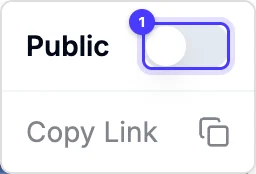
- Curate before sharing. Remove weak matches and write a short explanation of the pattern. Open the share link as a viewer and check that only the intended collection is visible.
- Turn a reference into an original test. State the customer tension, your hypothesis, the proposed execution, the proof and the result you will measure. Carry it into your weekly paid creative system.
Our persona boards use 20 distinct references. Seasonal boards can be larger, around 50 curated ads before a major sale. The size follows the decision the board needs to support.

Run one brief through your shortlist
Choose a live brief and collect a small sample of video and static ads. Include something from outside the client's immediate product category that addresses the same customer problem. Then ask a teammate to locate a specific example without your help.
Check the complete handover: can they play the creative, read its context, open the source and understand why it was selected? Try sharing with a client viewer, retrieving an old reference and exporting the material your team needs. Check what remains accessible if you reduce seats or end the subscription.
For our Meta agency workflow, start with an Adspo board and use that brief to judge the fit. If your strongest references come from several platforms, put a tool with broader saving coverage beside it in the comparison.
Questions about Meta ad swipe file tools
What is an ad swipe file?
A curated collection of ads kept for creative research. The useful version preserves the creative, source and reason for saving it, then organises references around the next brief.
Can I build an ad swipe file for free?
Yes. For a small project, a shared document with source links, screenshots and written observations can be enough. A dedicated tool becomes useful when saving video, finding older references and sharing multiple client collections take regular time.
What should an agency test before choosing a swipe file tool?
Save a video and a static ad, organise them, find them again and open the shared collection as a viewer. Check supported sources, seats, client access and export options against the way your team works.
Should I save every ad a competitor runs?
Keep comprehensive competitor monitoring separate from the curated board used to brief creative. Select references that explain a specific problem, format or idea. A smaller board with clear reasons is easier for an editor to act on.
Can I use a saved ad in my own campaign?
Use it to identify a pattern and develop your own execution with your own assets, claims and proof. Write the insight into the brief so the creative team understands the idea it is adapting.
Sources
- Adspo: boards, client workspaces and sharing
- Foreplay: Swipe File and Briefs
- Swipekit: saving and organising creative research
- Swipekit: boards, seats and sharing features
- Denote: swipe files and collaboration
- Denote: plans and limits
- Atria: inspiration and collaboration features
- GetHookd: saved ads, boards and plan FAQ
- GetHookd: MCP access by plan and billing term
- AdsLibrary.ai: saving, folders and sharing
- AdsLibrary.ai: subscription FAQ
- TrendTrack: folders for ads, emails and shops
- BigSpy: Inspiration Library
- AdScan: boards and saved ad search
- AdScan: reach and estimated spend methodology
Disclosure: Hey Sage uses Adspo for client work and earns a referral fee when you subscribe through our Adspo links.