
On this page
- 01 · What makes an ad spy tool useful for an ecommerce brand?
- 02 · The 10 tools compared
- 03 · 1. Adspo: our pick for recurring Meta creative research
- 04 · 2. Atria: for research that feeds creative planning
- 05 · 3. Foreplay: for shared references and creative briefs
- 06 · 4. AdSpy: for detailed searches across Meta ads
- 07 · 5. Minea: for connecting ads with products and shops
- 08 · 6. BigSpy: for research across advertising networks
- 09 · 7. TrendTrack: for competitor stores and offers
- 10 · 8. GetHookd: for Meta discovery and creative development
- 11 · 9. Pipiads: for ecommerce research across Meta and TikTok
- 12 · 10. Meta Ad Library: the free baseline
- 13 · Turn the research into an ecommerce creative test
- 14 · Which tool would we start with?
- 15 · Questions about ecommerce ad spy tools
- 16 · Sources
What makes an ad spy tool useful for an ecommerce brand?
A good Meta ad spy tool helps you understand how other brands sell: the problem an ad opens with, how it demonstrates the product, the proof it uses and the offer on the landing page. An established brand needs references it can turn into better creative, alongside a clear view of what competitors keep changing.
We put Adspo first because it fits the research we do across client brands. Our order prioritises relevant brand coverage, useful creative search, history, and the handoff from research to a brief. Database size matters less than finding the advertisers and customer problems you actually need.
Before buying, search your closest competitors by brand name and domain. Compare their results with the free Meta Ad Library. Then try a problem search, open an older creative and save a reference. That short exercise tells you whether the tool can support your work. A product discovery feed and a creative research library can serve different buyers, even when both call themselves ad spy tools.
The 10 tools compared
| Tool | Where it fits | What to check first |
|---|---|---|
| 1. Adspo | Recurring Meta creative research | Your brands, creative history and problem searches |
| 2. Atria | Research that feeds creative planning | Brand limits and the features your team will use |
| 3. Foreplay | Shared references and briefs | Which plan includes competitor tracking |
| 4. AdSpy | Detailed Meta searches | The filters needed for your research question |
| 5. Minea | Ads alongside products and shops | Whether product discovery belongs in your workflow |
| 6. BigSpy | Research across advertising networks | Coverage and limits on your chosen networks |
| 7. TrendTrack | Competitor stores, offers and ads | Lookup limits and brand tracking allowances |
| 8. GetHookd | Meta discovery and creative development | Brand coverage and the tools included in your plan |
| 9. Pipiads | Meta and TikTok ecommerce research | Which channels and search types you need |
| 10. Meta Ad Library | Free checks of current competitor ads | Country and advertiser selection |

Run Better Ads. The free guide + vault.
137 pages on ecommerce ads, with 46 real ads and 17 landing pages taken apart.
1. Adspo: our pick for recurring Meta creative research
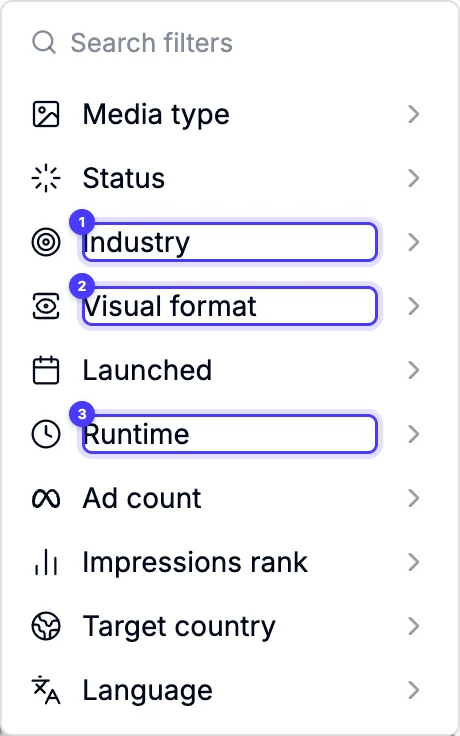
Adspo organises Meta ads around the creative, keeping its history from launch to when it stops. You can search copy and transcripts, explore visual formats, inspect landing pages and follow brands. That makes it useful when the question is which concepts a competitor is developing, rather than how many near identical ad cards it has.
We keep an Adspo space for each client brand, with boards for different themes and customer situations. When competitor browsing runs dry, we search for the customer's problem across other categories. The useful reference is often a demonstration or a line of dialogue from a completely different product.
Public board links let us share the shortlist with clients, and the Claude connector helps us read copy and transcripts before briefing. That combination makes Adspo our preferred place to start for this job. Coverage is Meta only, and local trade and service categories can be thin. Search your brands before committing. Our Adspo review goes further into the workflow.
2. Atria: for research that feeds creative planning
Atria combines a Meta and TikTok ad library with search, boards and tools for developing creative. Following a brand helps you revisit its latest ads, with weekly brand emails helping you see what changed.
It suits an ecommerce team where the same people research references and plan the next concepts. A useful trial task is to find different ways brands demonstrate the same benefit, then turn that shortlist into a brief your designer can understand.
The buying decision is how much of the broader workflow you will use. Core includes brand following; Plus and Business add AI insights into followed brands. Brand allowances also vary by plan. If you only need occasional searches, judge that recurring cost against the research work it replaces, rather than the number of extra features on the plan.
3. Foreplay: for shared references and creative briefs
Foreplay brings Discovery, Swipe File and Briefs into one workflow. Its Spyder feature tracks competitor ads, while Lens handles creative analytics from your own accounts. For ecommerce research, the attraction is keeping the reference connected to the brief instead of losing it in a folder of screenshots.
Choose it when several people contribute ideas and someone else turns them into ads. Test a real handoff: save a reference, explain the part you want to learn from, and ask the designer to find it and understand the direction.
Check the plan carefully because competitor tracking and the broader workflow sit above the basic saving features. If keeping and sharing references is your main problem, our Meta ad swipe file tools comparison focuses on that decision.
4. AdSpy: for detailed searches across Meta ads
AdSpy is built around searching Facebook and Instagram ads. Its filters include ad text, page names, URLs, comments, affiliate identifiers and landing page technology. That depth helps when you already know what you want to investigate and a broad inspiration feed produces too much noise.
For an established ecommerce brand, useful searches might include a competitor's domain, a recurring product claim or the wording of a particular offer. Comments can surface objections worth investigating in your own customer research.
Choose AdSpy for that search work. If your bottleneck is client approval or briefing a creative team, test the saving and handoff steps separately before replacing the system you already use. A detailed search result still needs someone to explain why an ad is worth studying.
5. Minea: for connecting ads with products and shops
Minea puts ads alongside product and shop research, with brand tracking, notifications, analyses and transcripts. That wider commerce view is useful when an established store is exploring a new category, studying an offer or checking how another shop presents a competing product.
Use it to follow the whole proposition. Look at what the ad promises, which product it leads to, how the shop bundles it and what the customer meets after clicking. Those details can explain an approach that the creative alone leaves unclear.
Product discovery is a substantial part of the product. If your range is settled and your only task is to brief fresh creative, compare the ad research workflow with a more focused library. Check channel access on the plan you intend to buy.
6. BigSpy: for research across advertising networks
BigSpy covers several advertising networks, including Meta, with page and domain research, ad tracking and saved creatives. It is worth considering when your team wants to examine how a brand changes its message across channels.
An ecommerce marketer could start with a competitor's Facebook offer, then look for how that brand introduces the product elsewhere. A longer demonstration or a different product image can suggest a fresh way to explain the same benefit in your own Meta creative.
Breadth is the reason to shortlist it. Check the relevant networks, search limits and brand results on your intended plan. If most searches happen on Meta, compare how easily you can find and revisit useful Meta references before paying for broader coverage.
7. TrendTrack: for competitor stores and offers
TrendTrack connects store research with ads, emails and landing pages. It covers Meta alongside other channels and includes brand tracking. This makes it useful for understanding how an ecommerce competitor presents an offer across its shop and marketing.
Consider it before a seasonal promotion or a range expansion. Follow the journey from the opening creative to the collection or product page, then examine the offer and supporting messages. The useful finding might be a bundle, a comparison or a product explanation your own campaign needs.
Lookups and tracked brands are limited by plan, so use your real competitor list when comparing subscriptions. Keep estimated advertising figures separate from observed creative: an estimate cannot establish another store's margin or the profitability of its offer.
See the decisions behind real ads.
46 ad breakdowns and 17 landing pages, each with the next test it suggests.
8. GetHookd: for Meta discovery and creative development
GetHookd combines Meta ad discovery filters, BrandSpy, boards and shop trends with creative development features. It fits a marketer who wants to find a reference and develop a new execution in the same product.
Try it with a specific creative problem, such as showing how a product fits into a busy morning. Search for relevant demonstrations, save the strongest examples and inspect what each one actually shows. Then work from your own product footage, customer evidence and offer.
Research features and additional creation or AI connection features have different plan requirements. Decide which part you need before comparing prices. A useful shortlist should save the team a research task even when you leave the generation features unused.
9. Pipiads: for ecommerce research across Meta and TikTok
Pipiads includes Meta and TikTok research, with ad, advertiser, product, store and image searches. Tracking and its wider ecommerce focus make it relevant to brands researching both channels.
Choose it when you want to explore how the same product benefit is presented in different environments. A demonstration found through TikTok research can prompt an idea for Meta, while advertiser and store searches help you investigate the business behind the creative.
Keep the channel context with each saved reference. An ad's format, audience and surrounding content affect how its message lands. Judge Pipiads on the searches and channels your team will use, and check the relevant access and limits before subscribing.
10. Meta Ad Library: the free baseline
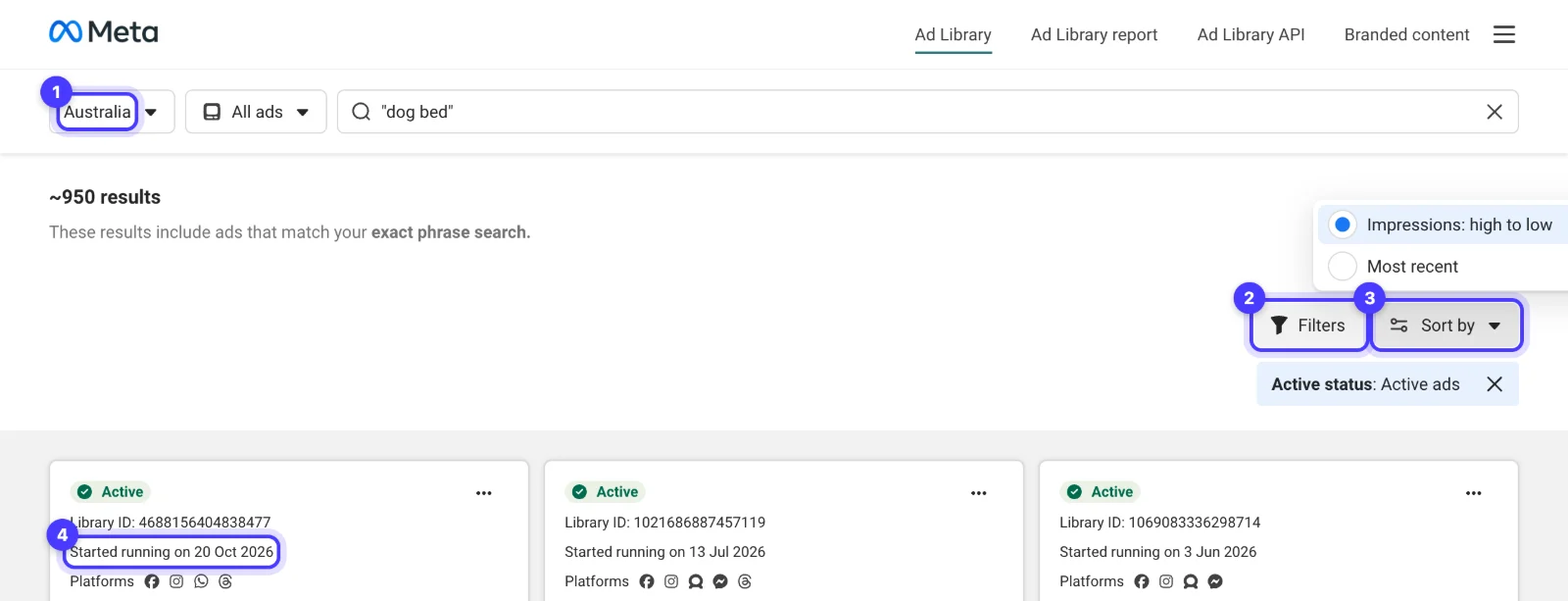
The free Meta Ad Library is the first place to check what a particular advertiser is running now. Search by brand or keyword, select the relevant country and inspect the creative, copy and start date. It covers active ads across Meta's apps, including Facebook and Instagram.
Keep it open when assessing any paid tool. Find a familiar advertiser in both and compare the current results. This is a practical coverage check before you commit to an archive or a subscription.
Its limits show up in repeated research: you need somewhere else to organise references, and ordinary Australian commercial ads disappear after they stop unless they qualify for an archive. For occasional checks it can be enough. Our Meta Ad Library guide for Australia explains the filters and the information on each card.
Turn the research into an ecommerce creative test
Imagine you sell an everyday travel bag and want to show how easily it fits a commute. Start with that customer situation. A search for bags alone can leave you staring at the same product shots.
- Write the buying question. For example: will my laptop, lunch and gym clothes fit without making the bag awkward to carry?
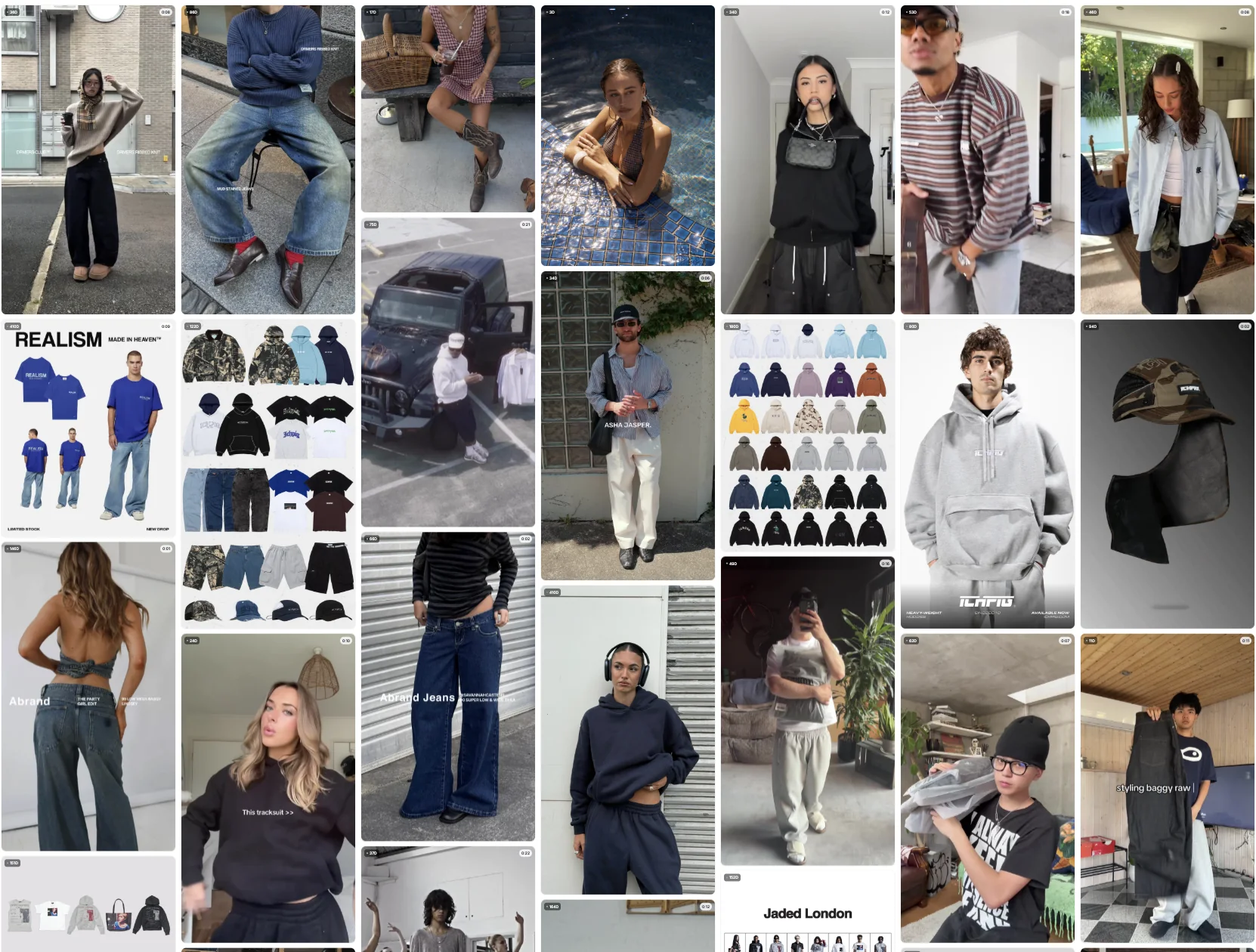
- Search competitors and adjacent categories. Look for packing demonstrations, size comparisons and real situations where someone carries several things. Check the ad itself, including the opening frames and spoken explanation.
- Save the useful moment. Note the exact demonstration or line that earns attention. A full board of attractive ads is harder to brief than a small shortlist with a reason beside each one.
- Write an original execution. Plan a packing demonstration using your bag, your contents and your setting. Specify the camera angle and the product detail the viewer needs to see.
- Set the commercial target. Work through product costs with our COGS calculator before deciding what a sale can afford to cost. Judge the resulting ad using your own campaign and sales data.
Our weekly paid creative system explains how to keep that process moving. If the question is what competitors changed since last week, use the separate Meta ad competitor tracking tools comparison to choose a monitoring workflow.
Which tool would we start with?
For recurring Meta creative research, we would start with Adspo and check its coverage against the free library. Choose Foreplay when saving and briefing is the bottleneck, AdSpy when detailed searches matter most, and a commerce research product when stores, products and offers are part of the question.
Take one real brief into the trial. The useful subscription is the one that helps you find a reference, explain what matters and give your team a clearer next ad to make.
Questions about ecommerce ad spy tools
Can a Meta ad spy tool show which competitor ads are profitable?
An ad library shows creative and observable advertising activity. It does not give you the advertiser's full costs, revenue or margin. Long running ads and repeated concepts are worth investigating, but evaluate the idea through your own product economics and campaign results.
Is an ecommerce ad spy tool the same as a product research tool?
There is overlap. Product research tools help you explore products and shops as well as ads. An established brand with a settled range may get more value from creative search, history and boards. Choose around the research question you need answered.
Do Facebook and Instagram require separate ad spy tools?
The Meta Ad Library includes both platforms, and Meta focused tools commonly research them together. Check the coverage of any paid library against advertisers you know. You may still want separate research for other channels, such as TikTok or Google.
Should a small ecommerce brand pay for an ad spy tool?
Start with the free Meta Ad Library if you check a few advertisers occasionally. A paid tool becomes useful when you research regularly, need older ads or spend too much time organising references. Try it with a real brief before committing to an ongoing subscription.
Sources
- Adspo: creative research features
- Atria: plans and research features
- Foreplay: creative research workflow
- Foreplay: plans and feature access
- AdSpy: Meta ad search
- Minea: ecommerce research
- BigSpy: ad research and tracking
- TrendTrack: store and advertising research
- TrendTrack: plan limits
- GetHookd: Meta ad research features
- Pipiads: ad and product research
- Meta Ad Library
Disclosure: Hey Sage uses Adspo for client work and earns a referral fee when you subscribe through our Adspo links.