
On this page
- 01 · What white label reporting is
- 02 · What to white-label
- 03 · How we deliver white-labelled reports
- 04 · What white label reporting costs in Whatagraph
- 05 · What other agency reporting tools include
- 06 · Setup checklist for agencies
- 07 · For owners: what a good agency report should give you
- 08 · Questions we get about white label reporting
- 09 · Sources
What white label reporting is
White label reporting means building client reports in a third-party tool and delivering them under your own brand. The client sees your logo, your colours and your name on the email, and nothing from the vendor. Done properly, it covers every place the client meets the report: the live dashboard, the share link, the scheduled email and the PDF.
For an agency it is a presentation choice, and a sensible one once you report to more than a handful of clients. For an owner it changes nothing about the numbers: what matters is what the report measures and whether you can open it any day, which the last section covers. We report to every client this way, from Whatagraph.
What to white-label
Branding the report itself is the easy part. Most of the work sits in the places around it.
| Element | What the client sees | Where it lives in Whatagraph |
|---|---|---|
| Logo | Your logo in the report header | Report settings, or a team theme under Settings > Custom Branding |
| Colours and fonts | Your palette on every page | The same theme. Chart colours are set separately |
| Header and footer | Your header and footer, with the vendor's "Powered by" gone | Part of the Custom Branding feature |
| Report domain | Links on your own subdomain, such as reports.youragency.com | Custom domain: you add DNS records and Whatagraph finishes the setup. A Prime add-on |
| Email sender | Your subdomain in the sender field | Set up with the custom domain |
| Email theme | Your design on every scheduled email | Settings > E-mail style > Create new email style, then Save as Active for new reports |
| A branded attachment on each scheduled email | Automated emails with PDF |
One trap is easy to miss. A new team theme applies only to reports created after you set it as Active. Existing reports keep their old look, so build the theme before the reports, or update older reports one by one.

Run Better Ads. The free guide + vault.
137 pages on ecommerce ads, with 46 real ads and 17 landing pages taken apart.
How we deliver white-labelled reports
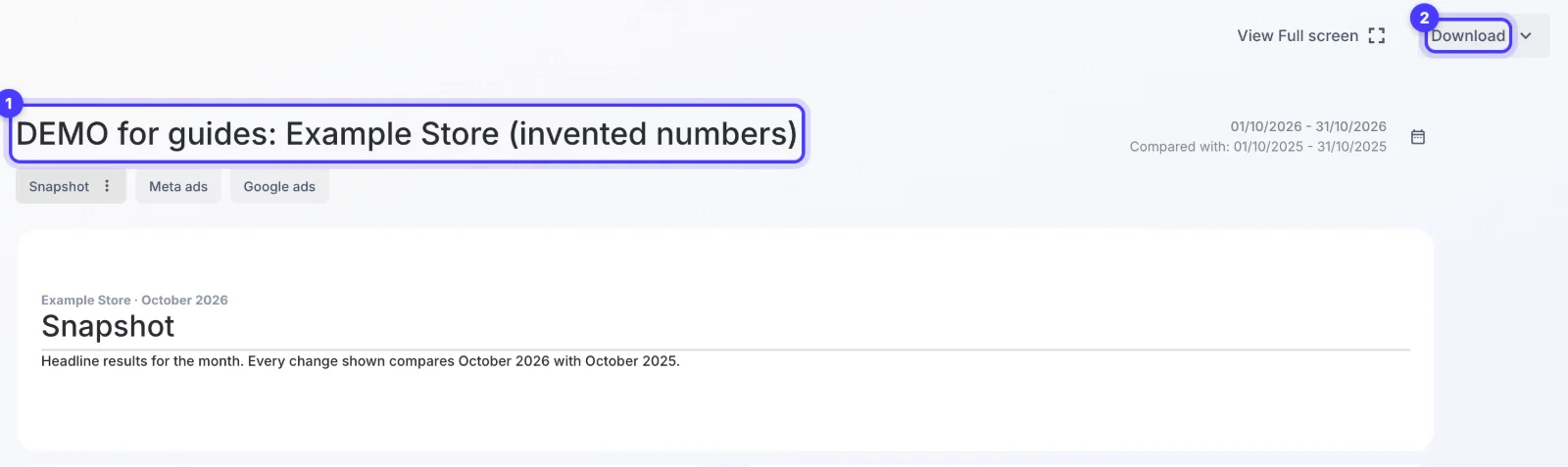
Every client report we build runs on Meta Ads, Google Ads and GA4 in Whatagraph, across around 40 live client dashboards, and goes out the same way:
- Our branding only. Whatagraph's "Powered by" header and footer are switched off.
- A live dashboard. It shows a rolling last 30 days against the same period last year and refreshes every 4 hours.
- Scheduled emails with the PDF. Monthly reports go out on the 1st and weekly reports on Mondays, always with the PDF attached, on our own email theme that links to the client's portal. The automation history, not the report editor, is our record of what was delivered.
- The live report in the client's portal. Each client's Hey Sage portal embeds their approved live report, with a link to open it in a new tab. On a phone, the desktop layout scales down.
- Share links that hold their own dates. A share link keeps its own date range, and that is the range the client sees.
- Numbers, no notes. Reports carry no explainer text boxes. Caveats go in our messages to the client, where they can ask about them.
Weekly and monthly reports are separate copies of the client's dashboard, so before each delivery we check the dashboard and every copy. Tables run full width, because half-width tables clipped values. A branded report with a wrong tile is still wrong.
What white label reporting costs in Whatagraph
Whatagraph sells two plans, and white-label reports come with both. Max starts at US$812 a month billed annually (€699 on the euro price list), and Prime is priced on request. Max includes custom branding, white-label reports and automated emails with PDF. A custom report domain is not on Max: it is an add-on to Prime.
The starting price covers 50 credits, and each connected data source uses one, such as one Facebook Ads account. Users and reports are unlimited on both plans. A worked example for an agency with 15 clients, each with a Meta ad account, a Google Ads account and a GA4 property:
- 15 clients x 3 sources = 45 credits, inside the starting 50.
- US$812 / 15 clients = about US$54 per client a month.
- The same plan with 3 clients: US$812 / 3 = about US$271 per client a month.
That is agency pricing. Three clients will get better value from a per-client tool in the next section. If your roster fits, Whatagraph's free trial through our link comes with 30% off the first three months.
What other agency reporting tools include
The tools agencies compare with Whatagraph all offer white-label features. The difference is the price shape. From each vendor's pricing page, checked in November 2026:
| Tool | Starting price | White-label features listed |
|---|---|---|
| AgencyAnalytics | US$20 per client a month, billed annually | Branded logo and colour scheme, custom domain, custom email, white-labelled client portal |
| DashThis | US$44 a month billed yearly, for 3 dashboards | Your logo, custom domain, your email as sender, branded themes, DashThis branding removed, on every plan |
| Swydo | €62 a month billed annually, one plan | Branded domain, branded email templates, branded PDF exports |
| Whatagraph | US$812 a month billed annually | White-label reports and custom branding; custom domain as a Prime add-on |
AgencyAnalytics, DashThis and Swydo each offer a 14-day trial. Per-client and per-dashboard pricing suits a small roster. Our Whatagraph alternatives guide compares them on the jobs that decide it, and our Whatagraph review covers where it falls short.
Setup checklist for agencies
- Build the team theme first. Logo, colours, fonts, header and footer under Settings > Custom Branding, then set it as Active. Reports created before that keep the old look.
- Remove the vendor's branding. Switch off the "Powered by" header and footer, then open a share link in a private browser window to check.
- Create the email style. Settings > E-mail style > Create new email style, then Save as Active for new reports. Point it at the place your client already logs in: ours links to the client's portal.
- Decide on a domain. A custom report domain needs an A record, plus four records for the sender, in your DNS, then Whatagraph finishes the setup. Bring in whoever controls your DNS early.
- Set each share link's dates. Pick the range the client should see, decide whether they can change it, and add a password if you need one. The share panel's "Update link" button resets the dates, so check them after pressing it.
- Embed the live report. Paste the share link into an iframe in your portal or site, with an open-in-new-tab link beside it. A blank embed usually needs a hard reload.
- Automate delivery. Set the sending frequency, delivery day, time and time zone, attach the PDF, and choose "I'll review before sending" until the first runs look right.
- Test, then check every copy. Send the first one to yourself. If weekly and monthly reports are copies, check each one as well as the dashboard.
- Plan the exit. When a client leaves, revoke their shares and stop their deliveries.
For owners: what a good agency report should give you
A white-labelled report looks tidy whichever tool sits behind it, so judge it on what it shows:
- A total you can trust. One row with all ad spend against revenue from GA4 or your store, labelled as exactly that. Never a total made by adding Meta's revenue to Google's, because both claim some of the same sales. Our guide to MER vs ROAS explains the difference.
- Each channel on its own row. Spend, revenue, ROAS and customer acquisition cost for Meta, Google and anything else you pay for.
- A fair comparison. The same period last year as well as last month, so a seasonal dip does not read as a failure.
- Access any day. A live link you can open whenever you like, not only a PDF once a month.
- A person explaining it. The report shows the numbers. Your agency should tell you in writing what changed and what they will do next.
Our monthly marketing report guide shows the layout we use, and why marketing revenue reports disagree explains why Meta, Google and Shopify never match. If you want reports like this with the ads run behind them, tell us about your brand.
Questions we get about white label reporting
What is white label reporting?
Reports built in a third-party tool and delivered under your own brand: your logo, colours, email sender and sometimes your own domain, with the vendor's branding removed. Agencies use it so clients see one brand across dashboards, emails and PDFs.
Can clients tell which tool made a white-label report?
Not from the report itself once the vendor's branding is off. The share link's address can still show the vendor's domain unless you set up a custom report domain, which in Whatagraph is an add-on to the Prime plan.
Does Whatagraph include white-label reports?
Yes, on both plans. Max, from US$812 a month billed annually, includes custom branding, white-label reports and automated emails with PDF. A custom report domain is an add-on on Prime, which is priced on request.
What is the best white label reporting tool?
For a small roster, a per-client or per-dashboard tool such as AgencyAnalytics or DashThis costs less. We run around 40 client dashboards in Whatagraph, where Meta, Google Ads and GA4 sit in one report with scheduled PDF emails.
Is white label reporting worth it for a small agency?
Once you send reports to more than a few clients, yes: one consistent brand, scheduled delivery and a live link save time every month. With one or two clients, a PDF export from the ad platform plus a written summary does the job.
Sources
- Whatagraph: Pricing
- Whatagraph Help Centre: Custom Branding
- Whatagraph Help Centre: How to customise your report colours
- Whatagraph Help Centre: How to customise your automated report email
- Whatagraph Help Centre: Custom Domain, CNAME setup
- Whatagraph Help Centre: How to automate a report
- Whatagraph Help Centre: Sharing the reports
- Whatagraph Help Centre: How to embed reports using iFrame
- AgencyAnalytics: Pricing
- DashThis: Pricing
- Swydo: Pricing
Disclosure: Hey Sage uses Whatagraph for client reporting and earns a referral fee when you subscribe through our Whatagraph links.