
On this page
- 01 · Why Meta rejected your ad, and what to do first
- 02 · Where to find the exact rejection reason
- 03 · The rejections we see most for Australian brands
- 04 · Edit it or request another review?
- 05 · How to request another review
- 06 · Why an approved ad can be rejected later
- 07 · What a rejection costs during a sale: a worked example
- 08 · When rejections become an account restriction
- 09 · How to stop rejections before they happen
- 10 · Questions we get about rejected Meta ads
- 11 · Sources
Why Meta rejected your ad, and what to do first
Meta rejects an ad when its review finds something that breaks the Advertising Standards, the Community Standards, the Commerce Policies or the law where you advertise. The review covers the image or video, the text, the targeting, the landing page, the Special Ad Category and your permissions, so the problem is not always in the creative you can see. Meta emails you when an ad is rejected and the exact reason sits in Meta Business Support Home.
Read that reason first, then make one choice: if the ad really does break the rule, edit it and it goes back into review automatically; if you are confident it does not, request another review before you touch it. Do not delete the rejected ad while you decide. Meta says deleting it can cost you the right to ask for a review, and editing or deleting does not remove the violation from your account.
Where to find the exact rejection reason
- Open the rejection email from Meta and follow its link, or go straight to Meta Business Support Home on a computer.
- Select the ad account (or catalogue) that holds the rejected ad.
- Open the rejected ad to read the reason Meta gives, including the policy it was rejected under.
- In Ads Manager, the Delivery column shows the same ad as Rejected, so you can filter for every rejected ad in the account at once.
Write down the policy name before you change anything. It tells you which part to fix: a personal attributes rejection is about the copy, a restricted goods rejection is about what you sell, and a landing page or spam rejection is about where the click goes.

Run Better Ads: our free ecommerce guide
We’ve tracked $700m+ in ad revenue across 200+ brands. See how we work out what a sale can cost and choose which ad to test next.
The rejections we see most for Australian brands
| Rejection | What usually triggered it | The fix |
|---|---|---|
| Privacy violations and personal attributes | Copy that asserts or implies something personal about the viewer: "Struggling with acne?", "Bankrupt? We can help", "For people like you who just turned 50". | Talk about the product and who it is for in the third person. "You" is allowed, as long as it is not tied to health, finances, age, religion, sexuality or similar attributes. |
| Health and wellness | Close-ups of pinched fat, negative statements about someone's appearance, cure claims for listed diseases, or results promised in a set time. Weight loss and cosmetic ads aimed at under-18s. | Remove the body-shaming angle and the timed promise. Set the age to 18+ for weight loss, supplements and cosmetic procedures, where Meta allows before and after images. |
| Prohibited commercial practices | Deceptive pricing, fake scarcity, endorsements you do not have, a celebrity face you have no rights to, or a destination that does not match the offer. | Show the real price and the real offer, use only testimonials and talent you have permission for, and make the landing page deliver what the ad says. |
| Spam | Links that cloak or redirect to somewhere unexpected, or offers to buy and sell likes, follows or accounts. | Send the click straight to the page it describes on your own domain, with no redirect chain. |
| Restricted goods and services | Alcohol, supplements, financial products, gambling, dating and similar categories run without the targeting, authorisation or disclosures Meta requires. | Check the category's own page in the Advertising Standards and set the age and location targeting it asks for. Some categories need written permission from Meta. |
| Intellectual property | Another brand's logo, music you do not hold a licence for, or a product shown as a cheaper version of a trademarked one. | Use your own assets and licensed audio. Compare on facts without borrowing the other brand's marks. |
Meta also rejects ads for using the wrong Special Ad Category. Ads about housing, employment, credit and financial products, or social issues and politics have to be declared at campaign level, and an ad that should have been declared gets rejected no matter how clean the creative is.
Edit it or request another review?
The choice turns on one question: does the ad break the rule Meta named?
- Edit when the reason is fair. Change the specific image, line of copy, targeting or link Meta flagged, and publish. Editing sends the ad back through review automatically. Most reviews finish within 24 hours.
- Request another review when you are confident the ad complies. Meta leans more on human reviewers at this stage and aims to decide within 48 hours. A successful review does not count as a violation, and asking does not hurt your standing.
- Create a new ad when the format cannot be edited. Leave the rejected one in place rather than deleting it.
You get one review request per ad. If Meta rejects it again, it stays rejected and you cannot ask a second time, so read the policy and check your landing page before you press the button. If the rejection is fair, editing is faster than a review that will fail.
How to request another review
- Go to Meta Business Support Home.
- Select the ad account or catalogue with the rejected ads.
- Select the ads, ad sets or campaigns you believe were rejected incorrectly. You can select several at once.
- Click Request review, then Submit.
You can track every request in Business Support Home. If Meta overturns the decision and the campaign is active, the ad starts delivering again by itself. If you are an agency or a contractor, the request has to come from someone with access to that ad account, so ask the owner to give you the right access through Business Manager first. Our guide to Meta business partner access shows how.
Why an approved ad can be rejected later
Approval is not final. Meta says ads can be reviewed again at any time, and it re-reviews running ads at random, when an ad gets unusually high engagement, and when people hide, block or report it. You hear about a re-review only when Meta finds a violation: the ad is rejected and delivery stops.
Editing a running ad also starts a fresh review. Changes to targeting, creative (images, text, links or video), optimisation or the billing event trigger it; changes to the bid, budget or schedule do not. That is why a small copy tweak on a winning ad in the middle of a sale is riskier than it looks: it goes back into review and, as a significant edit, it can also send the ad set back into learning. Our guide to learning limited lists which edits restart learning.
What a rejection costs during a sale: a worked example
Take a store spending $300 a day on one Advantage+ sales campaign at a $45 cost per purchase, so about 6.7 orders a day. Its best ad, carrying most of the spend, is rejected on a Friday morning for a personal attributes line in the primary text.
- Request a review: up to 48 hours with that ad off. If the rest of the campaign cannot spend the budget as efficiently and cost per purchase rises to $60, the store gets 5 orders a day instead of 6.7, or about 3 fewer orders over the weekend. If the review fails, the line still has to be rewritten.
- Edit the line: most reviews finish within 24 hours, and the fix is permanent. The cost is a possible return to learning for that ad set.
When the reason is plainly fair, as it is here, editing wins. Keep the review request for rejections you can argue line by line against the policy text.
What makes an ad worth testing?
Explore 46 real ads and 17 landing pages. We break down the offer, the proof and what we’d try next.
When rejections become an account restriction
Every upheld rejection counts against the account. Meta says advertisers who severely or repeatedly break its policies can be restricted beyond single ads: the ad account, the business account, the Page or the person's own Facebook profile can lose the ability to advertise. Editing or deleting the rejected ad does not erase the violation.
If you are already restricted, the steps are different and so is the review limit. Our guide to a disabled Facebook ad account covers Account status overview, identity checks and the review request for restrictions. If your ads are approved but still not delivering, start with Meta ads active but not spending instead.
How to stop rejections before they happen
- Read the copy as if you are the viewer. Any sentence that tells the reader something about their body, money, age or circumstances is a personal attributes risk. Rewrite it about the product.
- Check the landing page with the ad. The price, the offer and the product in the ad should be the first things on the page. Our guide to cold traffic landing pages and the one on advertorial landing pages show how to build a page that matches the ad without disguising what it is.
- Set age and location targeting first for supplements, alcohol, weight loss, cosmetic procedures and financial products.
- Hold Australian claims to Australian law. Meta rejects ads that break the law where you advertise, and the Australian Consumer Law prohibits misleading or deceptive claims. A claim you could not defend to the ACCC is a claim Meta can reject.
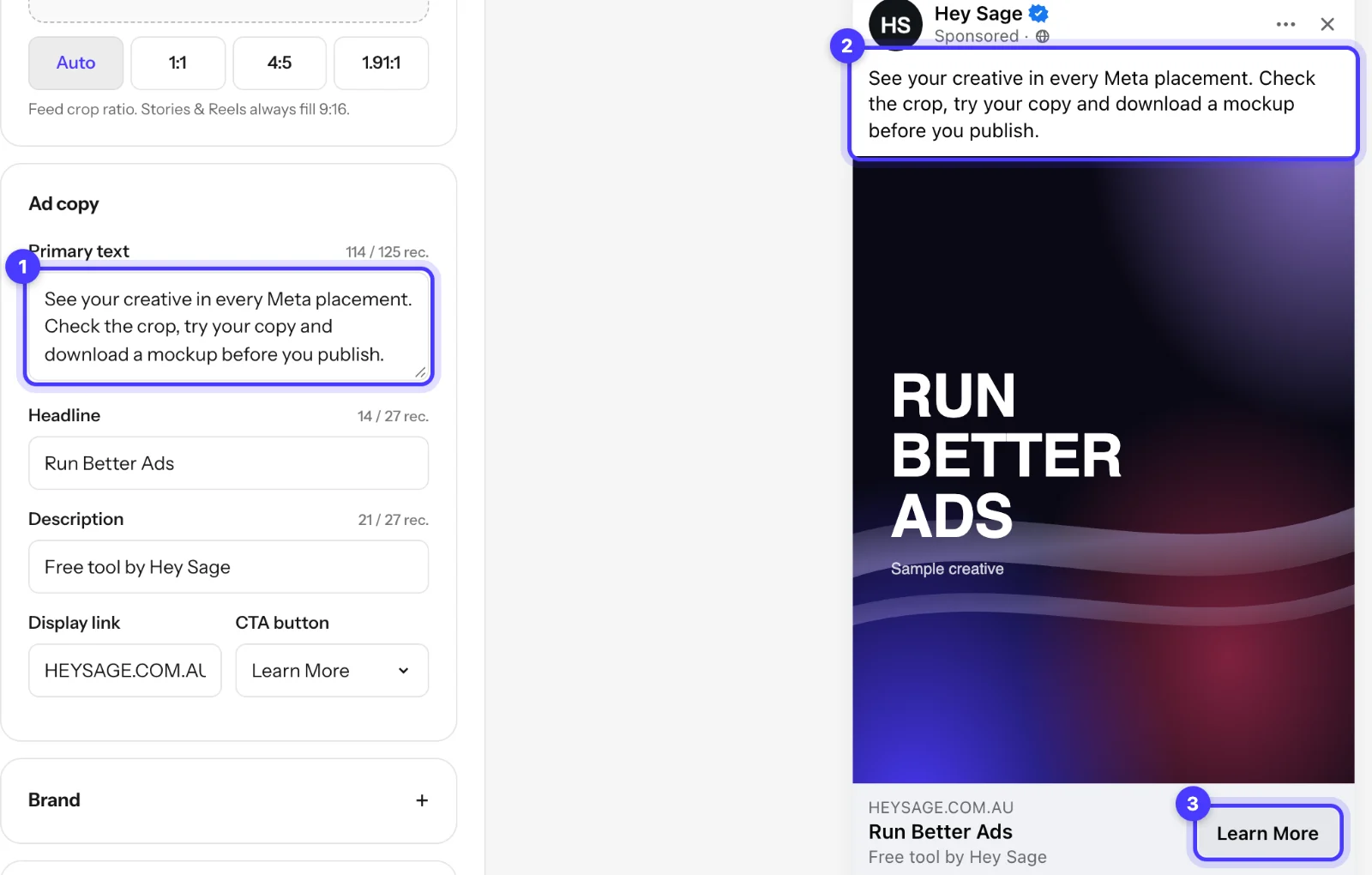
- Preview the creative before you publish. Our free Meta ads preview tool shows the ad in Feed, Stories and Reels so you can read every line as people will see it.
- Batch your edits. Each edit to creative, targeting or optimisation is a new review. Make all the changes at once rather than one at a time.
If rejections keep interrupting your campaigns, this is work we take on for clients: we audit the account's history in Business Support Home, rewrite the creative that keeps tripping review and set up the campaigns so a single rejection does not stop the spend.
Questions we get about rejected Meta ads
How long does Meta take to review an ad?
Meta says most ads are reviewed within 24 hours, and some take longer. A request for another review of a rejected ad aims for a decision within 48 hours.
Can I request another review more than once?
No. If Meta rejects the ad again after your review request, it stays rejected and you cannot submit another request for the same ad. Edit it or build a new ad instead.
Does deleting a rejected ad remove the violation?
No. Meta says editing or deleting a rejected ad does not remove the violation from your account, and deleting it can stop you from requesting another review.
Why was my Meta ad approved and then rejected?
Meta re-reviews running ads at random, when engagement is unusually high, and when people hide, block or report an ad. Any edit to creative, targeting, optimisation or billing event also starts a new review.
Will asking for another review hurt my account?
No. Meta says requesting another review does not hurt your standing, and a rejection that is overturned does not count as a violation.
Does changing my budget send the ad back to review?
No. Changes to the bid amount, budget or ad set schedule do not trigger a new review. Changes to targeting, creative, optimisation or the billing event do.
Sources
- Meta Business Help Centre: How to troubleshoot a rejected ad
- Meta Business Help Centre: About ads in review
- Meta Business Help Centre: Why some ads are approved, then rejected
- Meta Business Help Centre: About the enforcement of Meta Advertising Standards
- Meta Business Help Centre: Privacy Violations and Personal Attributes advertising policy
- Meta Business Help Centre: Health and Wellness advertising policy
- Meta Transparency Centre: Advertising Standards
- Meta Transparency Centre: Prohibited commercial practices
- Meta Transparency Centre: Spam