
On this page
Check whether your location can be claimed
As at 24 November 2026, OpenAI supports local shop and restaurant claims for existing US listings only. If your only location is an Australian shop or restaurant, you can stop here. If you also sell products online, follow our online store claim guide for that part of the business.
For example, a Melbourne café can check eligibility for its online coffee subscription business without claiming the café’s street address. A local service that travels to customers should check the business types and verification options in OpenAI’s setup guide. Taking bookings on a website alone does not establish eligibility for an online business profile.
Find the right US listing
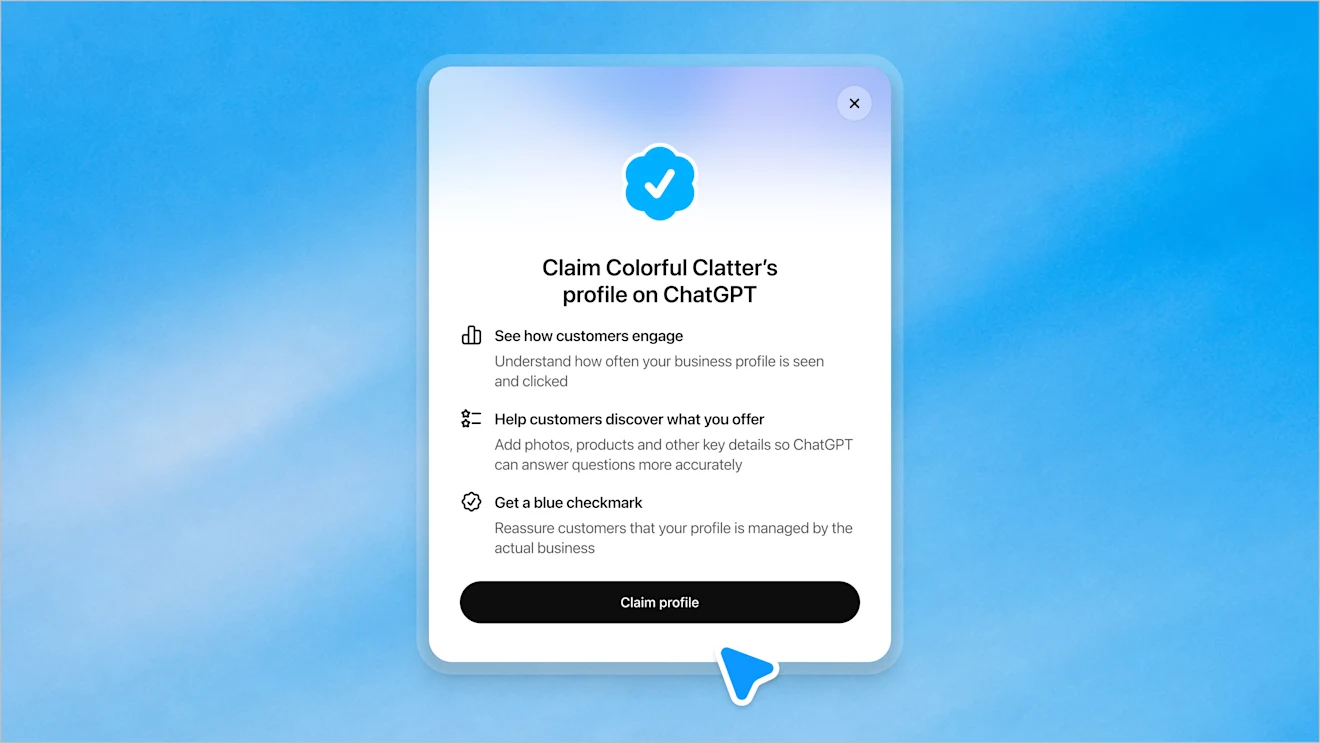
Open ChatGPT Business Hub, sign in and search for the trading name. Match the street address to the branch you manage before selecting Claim profile. Confirm the account you’ll use for the business. If the shop or restaurant is missing, the local route currently requires an existing listing.

Run Better Ads: our free ecommerce guide
We’ve tracked $700m+ in ad revenue across 200+ brands. See how we work out what a sale can cost and choose which ad to test next.
Confirm you represent that branch
Choose one of the verification methods offered. If you can answer the listed phone, choose a text or automated call, then enter the code. If the number is out of date, look for business email or website domain verification. On a locked listing, select Contact support.
Finish verification in Business Hub
Watch your email for the claim decision. Once approved, open Business, select your location and complete the Persona identity check in the overview. Enter the registered business name as it appears on your documents. Have your ID and proof of your authority to act for the business ready in case they’re requested.
Review your details and local mentions
After approval, check the website, business category and description on the profile. For a business with several branches, open the website link as a customer would. Someone asking about a specific branch should be able to find that location on the site.
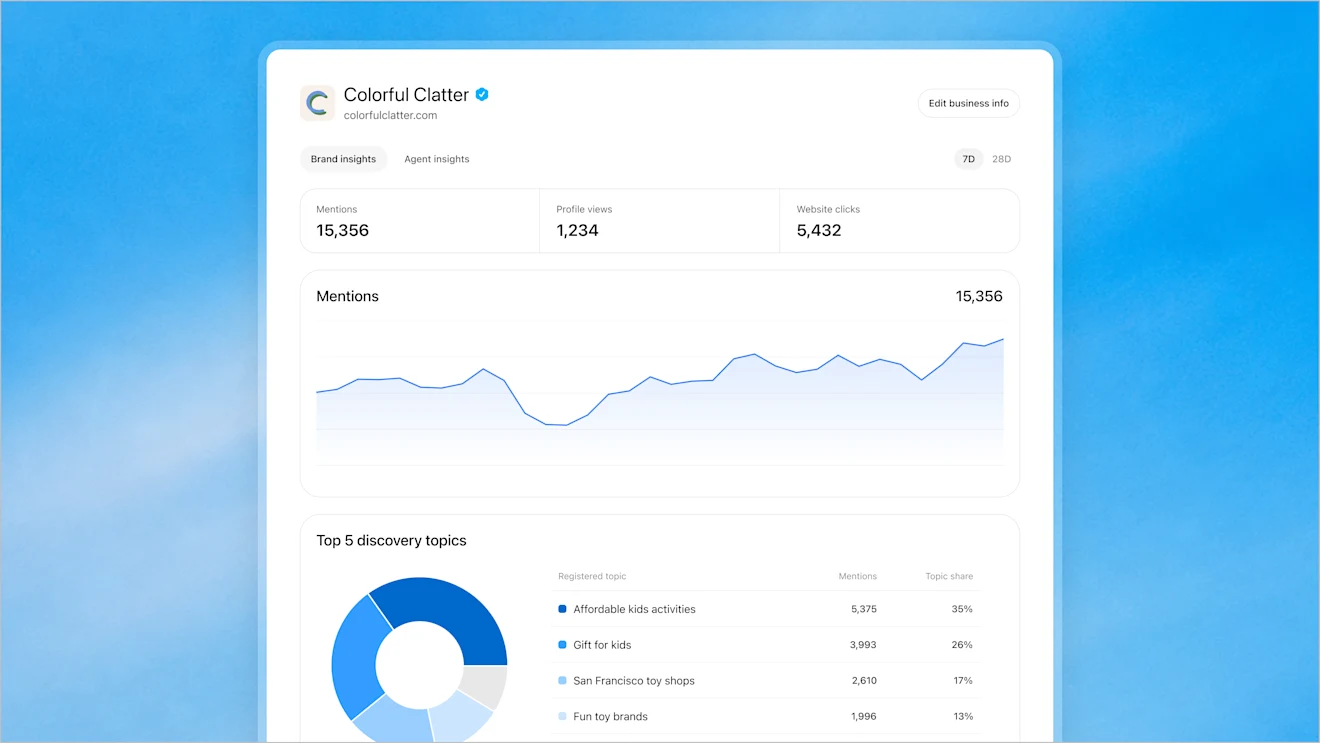
Open Insights to see mentions and website clicks. A local mention counts when ChatGPT shows that location in a result. Someone can see the branch without clicking or visiting it.
Questions from local operators
Which location should I claim first?
Use the trading name and address together. Two branches of the same group can look identical in a name search, especially if they share a website or booking system. Start with a branch you are authorised to manage and can verify. Each distinct location needs its own supported claim path. For brands with a managed claim process, individual locations may be locked. Ask your OpenAI account contact which process covers those branches before starting more claims.
Our restaurant has a landline. Can we still get the code?
If Business phone appears for the listing, check the number carefully and choose an automated call if that line cannot receive texts. Let the person answering the phone know when you are requesting it. Enter the code in the claim you already started. If you have no access to that number, use another method shown on the same listing. Available methods can differ between businesses, even when they operate in the same suburb or industry.
Someone else has already claimed our location
First check whether a colleague or the group’s head office manages the profile. If so, ask the existing admin to invite you through Business Hub. If ownership genuinely needs disputing, open the profile, use the three-dot menu and choose Dispute ownership. Follow the Persona prompts to establish your authority. If you need support, include the specific listing, the step you reached and the error message. Remove personal information and verification codes from any screenshot you send.
Our shopfront name differs from the company name
A restaurant can trade under a short name on its sign while the registration belongs to a company with a different name. Use the official registration details for the legal-name field. If the form asks separately for a trade name, that is where the name above the door belongs. Check the registered address against the paperwork as well. If your submission needs attention, follow the instructions in the decision email and return to the same profile.
Should I count mentions as enquiries?
Keep the figures separate. A mention records that the location appeared. A website click records someone following the link. An enquiry is a further action you record through your website, booking system or phone. A diner might see your result and turn up without visiting your site, while another person might click and decide against booking. Our monthly marketing reporting guide covers how to present different outcomes alongside one another. Browse our guide library for more on measuring what happens after a visit.
Does claiming a branch change what ChatGPT recommends?
Claiming lets an authorised operator supply business details and, after verification, view available insights. ChatGPT can already use other sources to answer a question about your location. When your team updates a description or website, OpenAI reviews the changes and they can take time to appear. If a customer sees an older detail, check the saved profile and the information on your own website. A claim does not buy a position in the results or guarantee a booking.
Where do I find a claim I started last week?
Sign in with the same account you used to start it. Open Business Hub, choose Business and select the existing location. Check the overview and the email inbox attached to that account for a decision or a request for more information. If you have already sent your identity documents and the status is pending, wait for that decision before trying again. If the email says you were approved but the profile still asks for verification, contact OpenAI Support from the account that submitted the claim.