
On this page
Find your store
Open ChatGPT Business Hub using the account you intend to keep as the store admin. Search for your trading name, check the website on the result and choose Claim profile. Confirm the account shown. If your online business is missing, look for the option to add it.
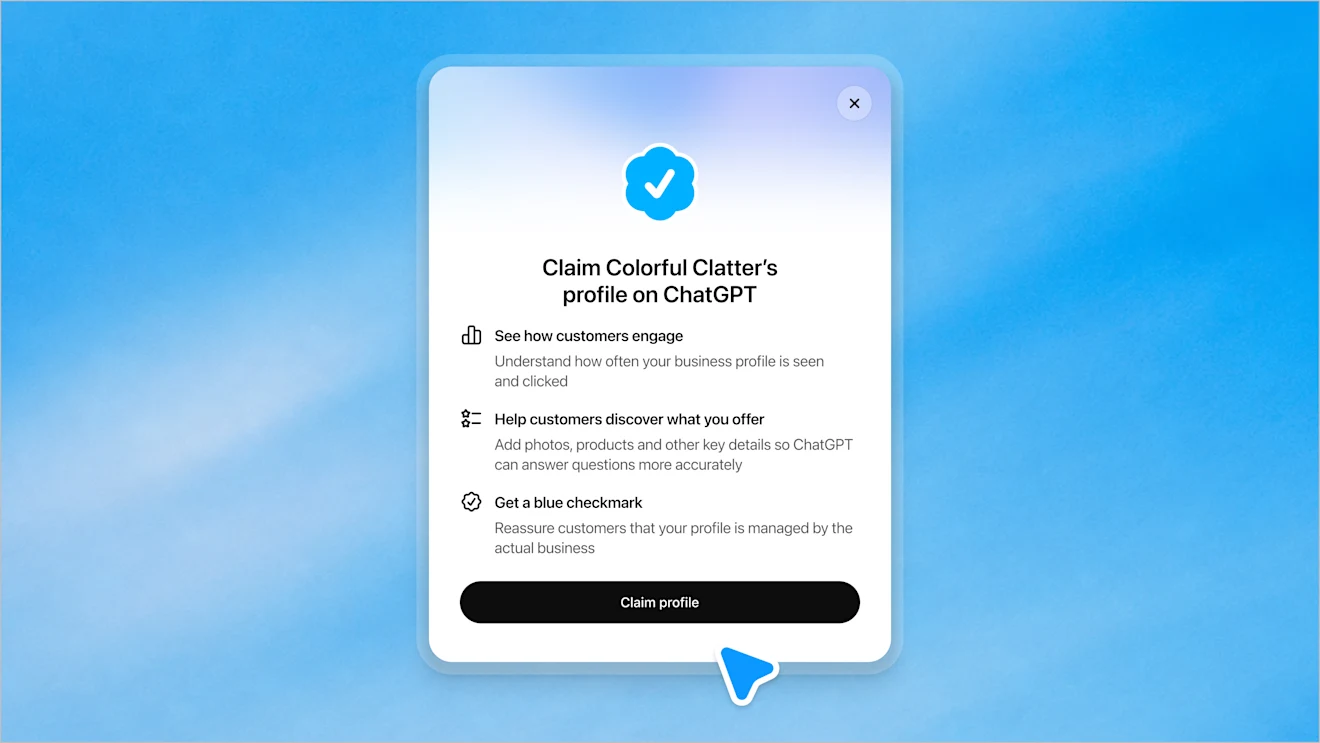
Verify the store
On Shopify, choose Shopify store, then Connect Shopify. Sign in to the shop that owns the catalogue and review the permissions. You can also start from the ChatGPT app in Shopify admin.
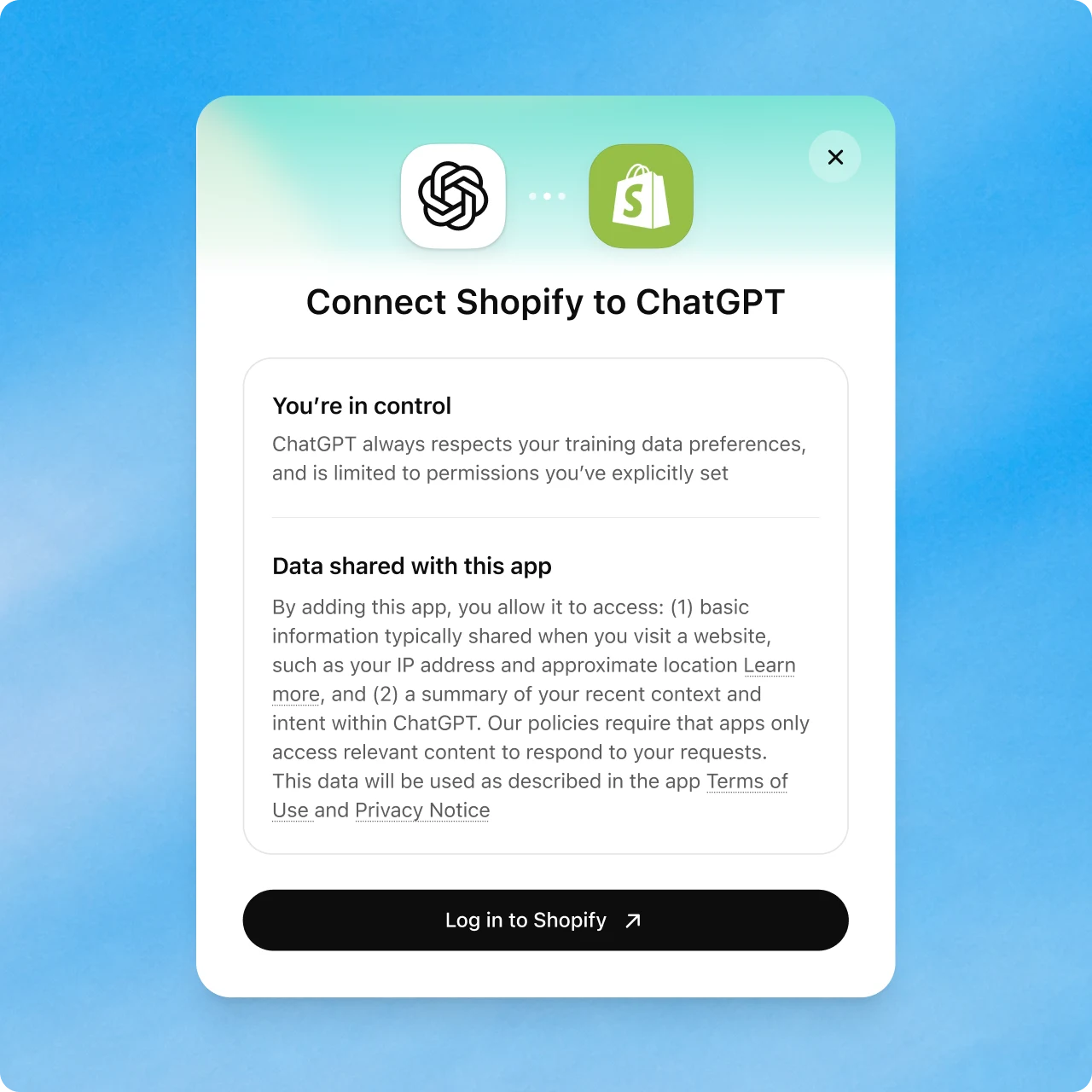
On another platform, choose a method shown for your store. Business email or phone sends a code. Website domain gives you a TXT record to add to your DNS settings. Return to Business Hub and choose Verify domain once the record is in place.

Run Better Ads: our free ecommerce guide
We’ve tracked $700m+ in ad revenue across 200+ brands. See how we work out what a sale can cost and choose which ad to test next.
Complete the identity check
OpenAI emails its claim decision. After approval, reopen your store under Business. In the overview, choose Complete verification with Persona and follow the prompts. Use the legal name on your registration documents and have ID and evidence of your authority ready if requested. If you create a new profile through Persona, approval publishes it automatically.
Add the details shoppers ask for
Start with the things that decide a purchase. Where do you deliver? Can someone return a sale item? Add your website, delivery and returns policies, then review your products. A connected Shopify shop can use its existing catalogue. For another platform, Business Hub accepts a product feed by CSV upload or a direct link to the hosted file.
If you also run a physical shop, check our local listing guide before trying to claim its street address.
If a step gets stuck
I found more than one result for my brand
Open each candidate and compare its website with the address your customers actually use at checkout. Similar names can belong to a stockist, a different country store or a completely separate retailer. If you operate several brands under one company, start with the trading name and website of the individual brand. An admin can manage several profiles. Claiming one brand does not automatically claim every business owned by the same company.
The domain check is still pending
Ask whoever manages the domain’s DNS to open the zone for the domain shown on the claim. Send them the record type, host and value exactly as Business Hub displays them. A TXT verification record is an additional entry. Your existing website and email routing records can stay in place. Once your domain manager confirms the entry, allow time for the change to become visible and retry Verify domain from the original claim.
My invitation opens an empty account
Check the email address that received the invitation and use that same address to sign in. If you started the claim yourself, go back to the original ChatGPT account, open Business and select the existing profile. You can check its progress there. For a tenant-admin requirement, ask the administrator of the organisation’s ChatGPT Enterprise workspace to start the claim. The person who runs the ads or owns the Shopify login may have a different role.
The feed upload failed
First compare a product URL from the rejected file with the website on the selected business profile. If the team manages multiple stores, it is easy to upload the right catalogue to the wrong one. For a hosted feed, check that the URL opens the feed file itself. A collection page or a link to a dashboard needs replacing. If you already connected Shopify, use that catalogue before spending time building a second export.
What should I check in the catalogue?
Pick a full-price bestseller, a sale item and a product with several sizes. Open each product page and compare its current price and availability with the corresponding feed entry. This is especially useful when your store sells in more than one currency. If you also maintain a Shopping feed, our product feed guide explains the fields worth checking. Our sale price guide walks through a separate check for promotional pricing in Google Shopping.
Can my agency manage the profile?
Have the owner or an authorised member of the store team claim the business first. The admin can then invite teammates or grant agency access in Business Hub. Give each person access through their own ChatGPT account. If the business was claimed inside a workspace, the invited person may need to belong to that workspace. Keep the original claim email with the person it was addressed to and use the invitation controls for everyone else.
How do I check whether people are finding the store?
After verification, open Insights for that business. Mentions for an online store count references to its website, and website clicks tell you how often people followed a link. Discovery topics group the subjects of answers in which the business appeared. Look at those figures over the same period when comparing them. A blank figure can mean the data is still collecting or below the reporting threshold. The dashboard does not give you individual customer conversations.
My store is approved. Do I need to publish an agent too?
You can finish after the verified profile and catalogue are in place. An agent is an optional customer chat with separate eligibility and its own publishing step. If Business Hub offers one, open the preview and try a real question from your inbox, such as whether a customer can exchange a discounted item. Compare the answer with your published policy before deciding whether to turn it on. Customers still complete their purchase on your website. You can manage the profile without buying ads.